Course Conversion Fellowship
  1. Introductions to each other
  2. Crash Course in Open Education
    1. Slides
    2. Creating an OER One Sheet
    3. Review of Grant Requirements
    4. Projects that might be inspiring:
  3. Group and individual goal-setting and discussion
  1. Progress Check-in
  2. Discussion of Nikki Anderson’s Enhancing Inclusion, Diversity, Equity and accessibility in OER
  3. Activity: syllabus/course/materials review for diversity, equity, and inclusion
  • Begin to convert syllabus, identify gaps, and ask for help
    • You can always email Shawna or Julie for personalized assistance- we are here to help!
  1. Progress Check-in
  2. Deep Dive on Library Resources
  • Read Parts 4-5  of The OER Starter Kit Workbook by Abbey K. Elder & Stacy Katz
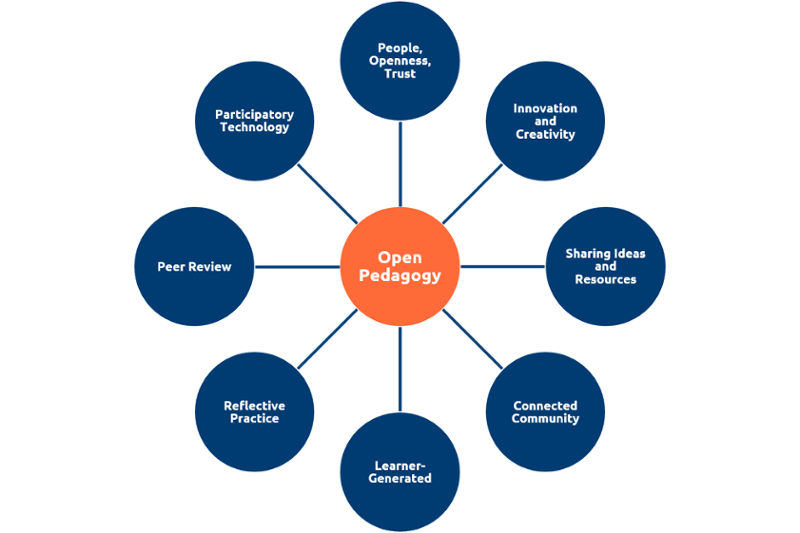
  • Read Bali, M.  What is Open Pedagogy Anyway
  • Read Jhangiani, R. 5Rs for Open Pedagogy
  • Sinkinson, Caroline. Values of Open Pedagogy
  • Do some exploring on your own, and consider ways you might wish to open your pedagogy? Bring two examples of open pedagogy assignments/activities that you could incorporate/adapt into your course (could be your own ideas, could be projects you find online)
  • Continue converting syllabus
  • Read Anderson, Nikki.   Accessibility, Usability, and Universal Design for Learning in Enhancing Inclusion, Diversity, Equity and Accessibility (IDEA) in Open Educational Resources (OER), Australian Edition. 
  • Finish first draft of your converted syllabus and share with your peer review group by March 11.
  • Provide written feedback on the other two syllabi in your peer review group before meeting 5.

  1. Check-ins
  2. Peer Review Update- what did you learn?
  3. Accessibility: Best Practices
    1. Why & How
    2. Quick Start to Accessibility:  
      1. Use accessible fonts and make sure any colors are high contrast
      2. Use Styles to Add Headings
        1. Use the styles hierarchically
        2. Once applied, you can use use styles for the outline, table of contents, and to easily make font/color/size choices consistently across a whole document
        3. Information & How-To use Styles
      3. Add Alt-text to images (how/why to alt-text)
      4. Make URLs descriptive links, not word salad
      5. Run Accessibility Checker in Microsoft Word and make any necessary changes (check the warnings as well as the broken)
      6. Other notes:
    3. Resources:
      1. Universal Design for Learning in 30 Seconds Slides
      2. Open UDL Workshop from CUNY SPS
      3. CUNY Office of Library Services Accessibility Toolkit for OER
      4. Accessibility and Open Educational Resources on the UDL in Higher Ed site
  • Make any necessary revisions to your Converted Syllabus
  • Prepare to present and deposit (set up/find your login in information for CUNY Academic Works)
  • Write one blog post and post it to the OE@KCC blog, reflecting on what you’ve done and learned throughout the year and any ways this project has informed your thinking about teaching and learning
  1. Reminder of Grant Requirements
    1. Have your chair mark your class as ZTC in CUNYfirst going forward
    2. Add a notation: This is a Zero Textbook Cost Course.  
    3. Add a CC license and deposit to CUNY Academic Works
      1. instructions for depositing
    4. Syllabus needs to be deposited by the end of May
    5. Make final blog post (if you haven’t already)
  2. Presentations
  3. Reflections on the Project & Suggestions for Improvement
  4. Deposit and Celebrate!!!